Management app for Huawei network devices
Huawei HiLink (Mobile WiFi) is a free utility application for mobile developed by Huawei Internet Service. It is a management tool that helps users control and configure wireless networking devices made by Huawei. It supports the company's line of home routers and pocket Wi-Fi and consolidates the experience into a single platform.
Top Recommended Alternative

Much like Huawei Health, Huawei HiLink (Mobile WiFi) is a value-added service to complement the various products being sold by Huawei, which in this case, is its home network solutions. It replaces the formerly separate RuMate and Huawei Mobile WiFi applications, both of which are now deprecated.
Huawei network solutions
Huawei HiLink (Mobile WiFi) is a universal management app that aims to consolidate all the company's in-house network applications into a single, uniform experience for users. It supports products like the Mobile WiFi (E5 series), routers, the Honor Cube, and home gateways, all of which are now classified under the HiLink series of devices. It lets you control and configure them straight from your smartphone or tablet.
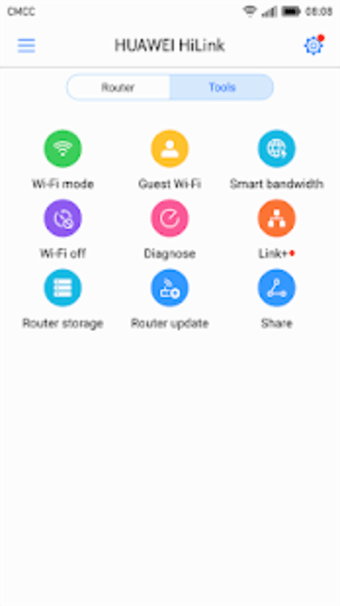
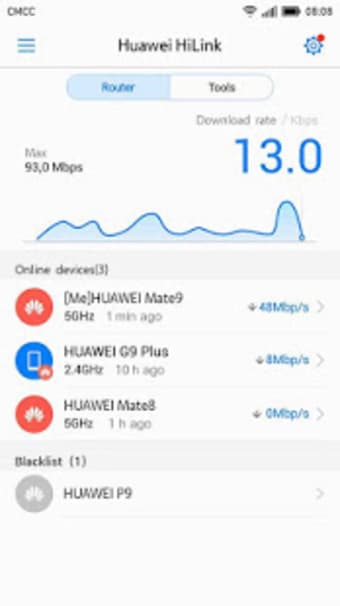
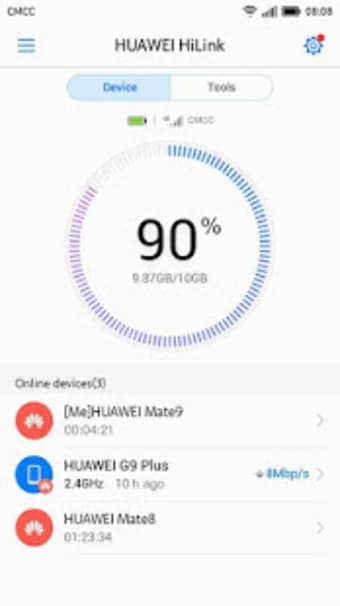
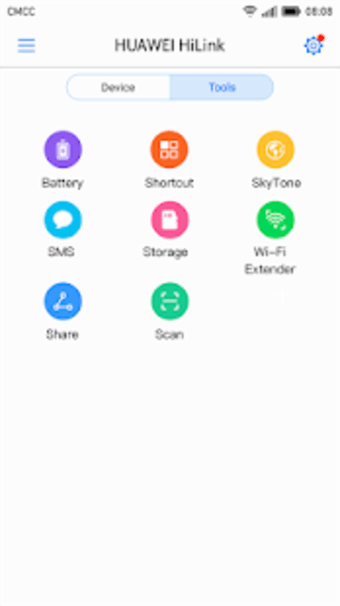
Some of the things you can do with the new Huawei HiLink app include checking network status in real-time and managing connected devices to a single unit at any given time. Set parental controls for your kids to limit their internet usage. You can also save or backup media on the same local area network for the fastest transfer speed possible.
There are even built-in diagnostic tools that will help you analyze the performance of your network and offer optimization options to improve it and get the most out of your devices. That said, the app has not been updated for some time now. Use it as is, but don't expect new features any time soon. Also, check its official application page to see if your specific model is supported.
A must-have
In conclusion, if you own one of the supported network devices from the company, the Huawei HiLink (Mobile WiFi) is simply a must-have to make the most out of them. It's easy to set up and use, supports multiple models, and comes with some nice handy features like parental controls and media management. Give it a try now and see for yourself.

.png)
.png)